
WooCommerce Plugin

Delivery Date & Time Slot Picker Pro

Let customers choose a delivery date and time slot at WooCommerce checkout. Perfect for grocery, bakery or flower delivery, with rules, limits and fees you control.
  • 30-day free trial
  • Free plugin available
  • Classic and Blocks checkout
  • HPOS compatible
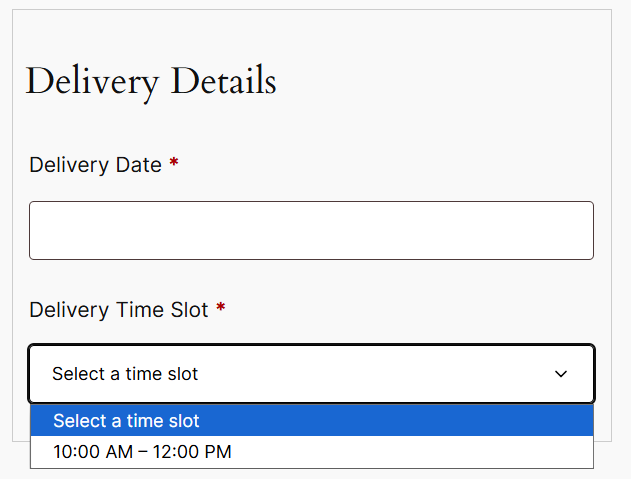
Delivery Date & Time Slot Picker screenshot 1: Delivery date and time slot fields on Classic and Blocks checkout
Version
1.2.0
Requires WP
6.5+
Tested up to WP
7.1
Requires WooCommerce
8.9+
Requires PHP
7.4+
License
GPLv2 or later
Features

Everything you need to schedule deliveries

From the checkout picker to the Delivery Calendar, all inside WooCommerce.

Checkout Picker

  • Works on WooCommerce Classic and Blocks checkout
  • Date picker with a "Select a delivery date" placeholder
  • Time slot select styled like other checkout fields
  • Same field design on both checkout types
Pro

Delivery Rules

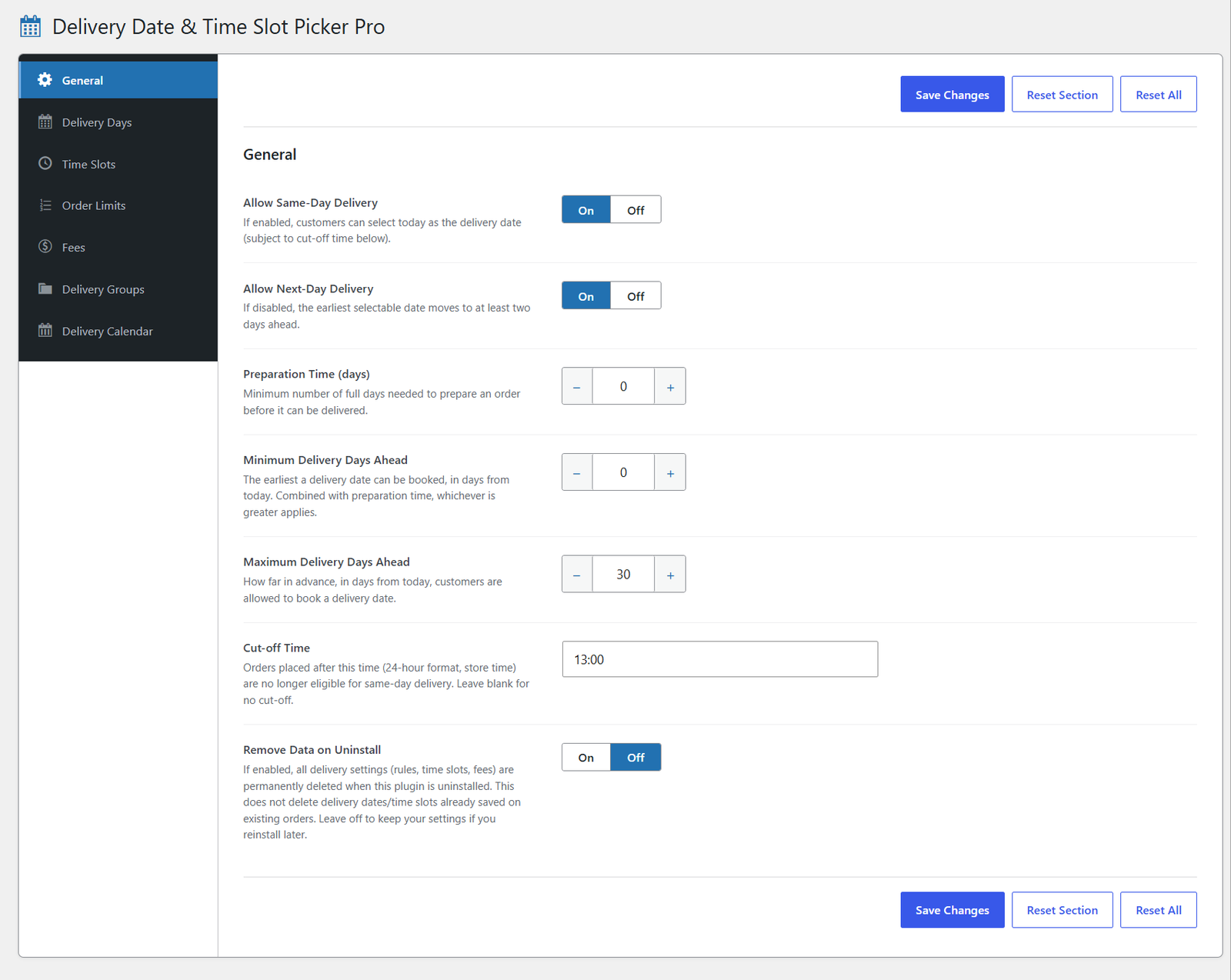
  • Same-day and next-day toggles
  • Preparation time and a daily cut-off time
  • Minimum and maximum delivery days ahead
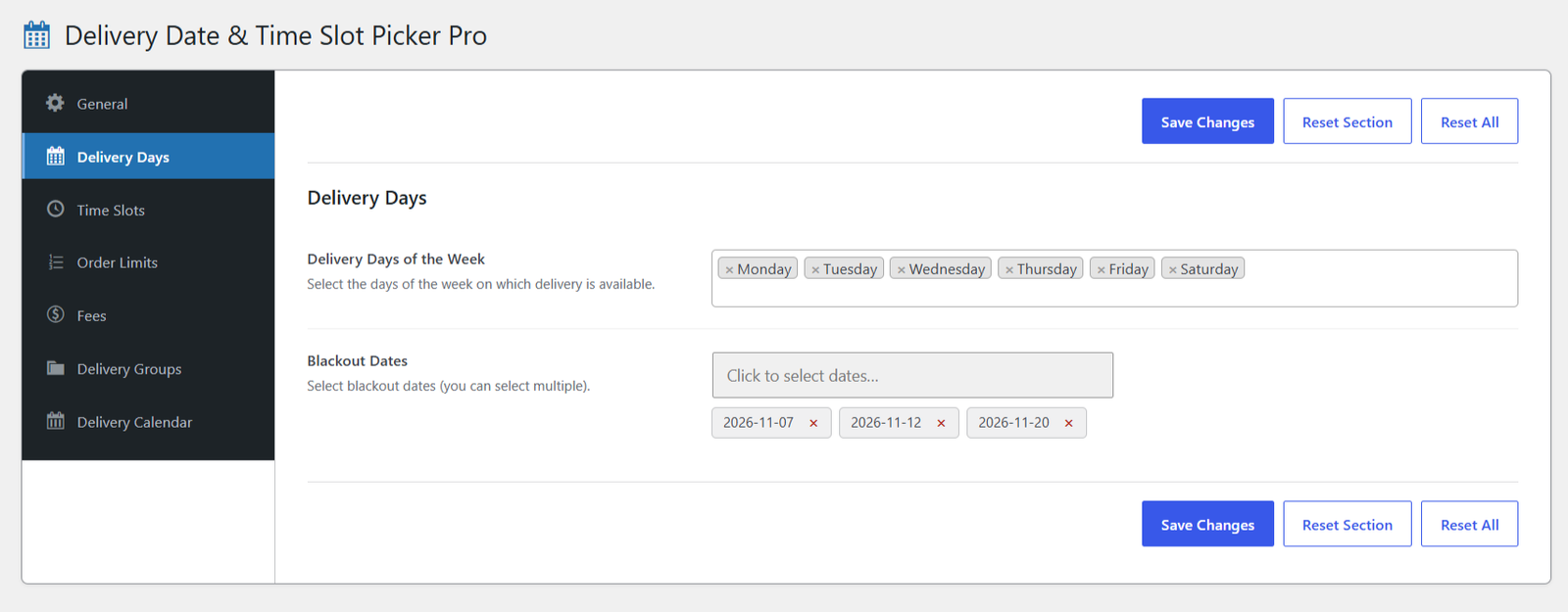
  • Delivery availability per weekday
Pro

Time Slots

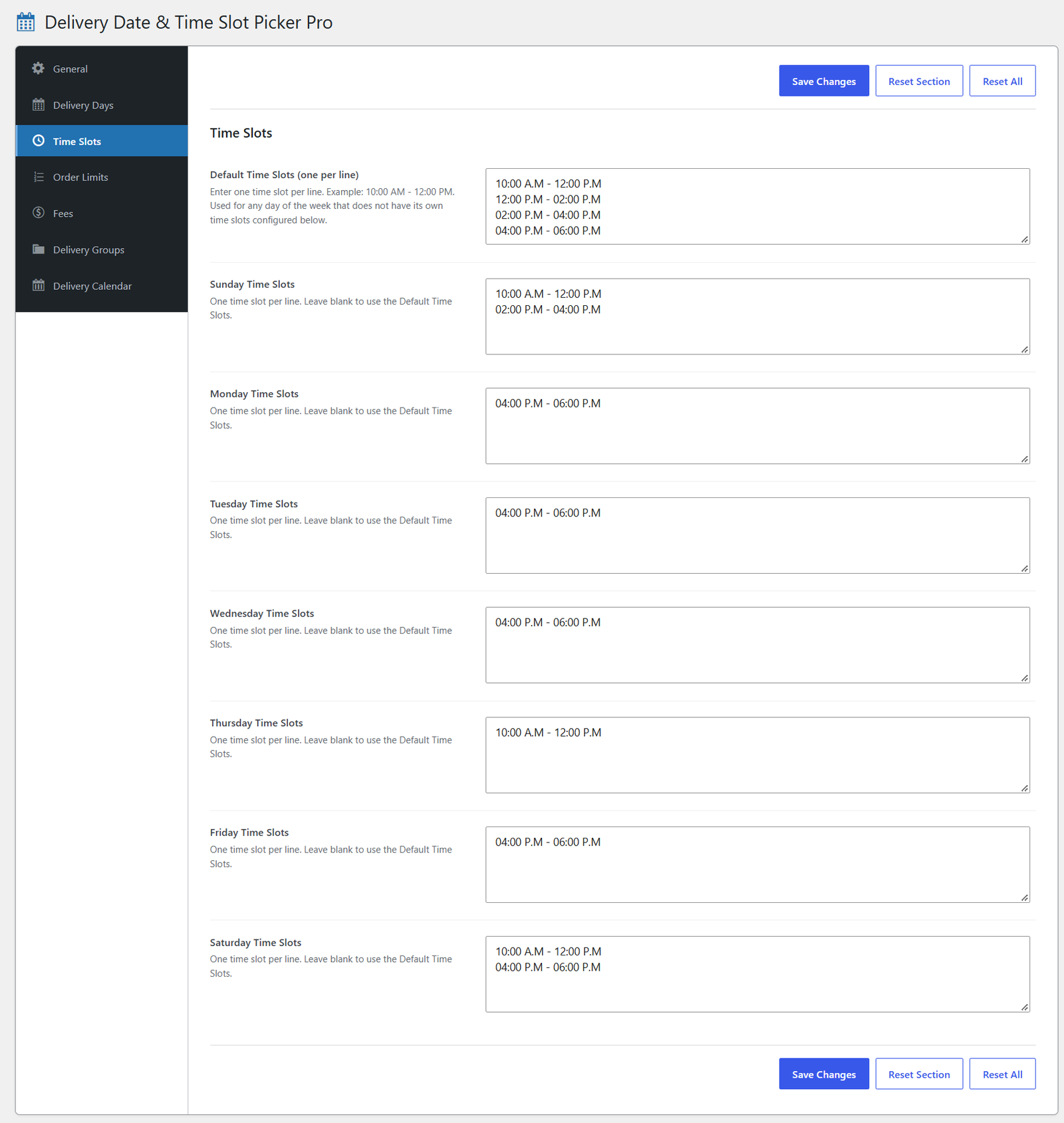
  • Different slots for each day of the week
  • Default list as fallback for any day
  • Shorter Friday hours, extra Saturday slots, and so on
Pro

Order Limits

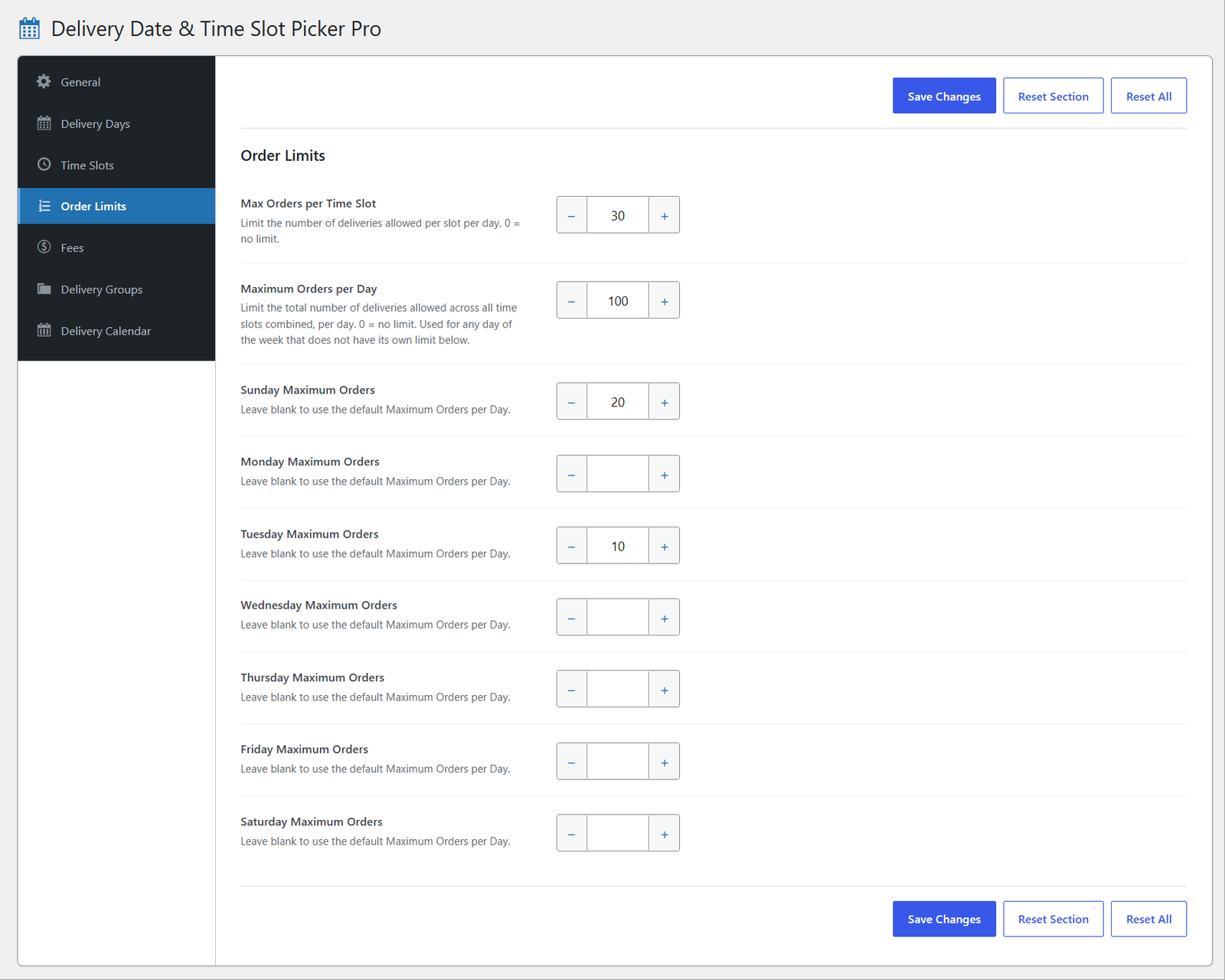
  • Maximum orders per time slot
  • Maximum orders per day, with per-weekday overrides
  • Fully booked dates and slots shown at checkout
  • "N left" shown when a slot is nearly full
Pro

Delivery Fees

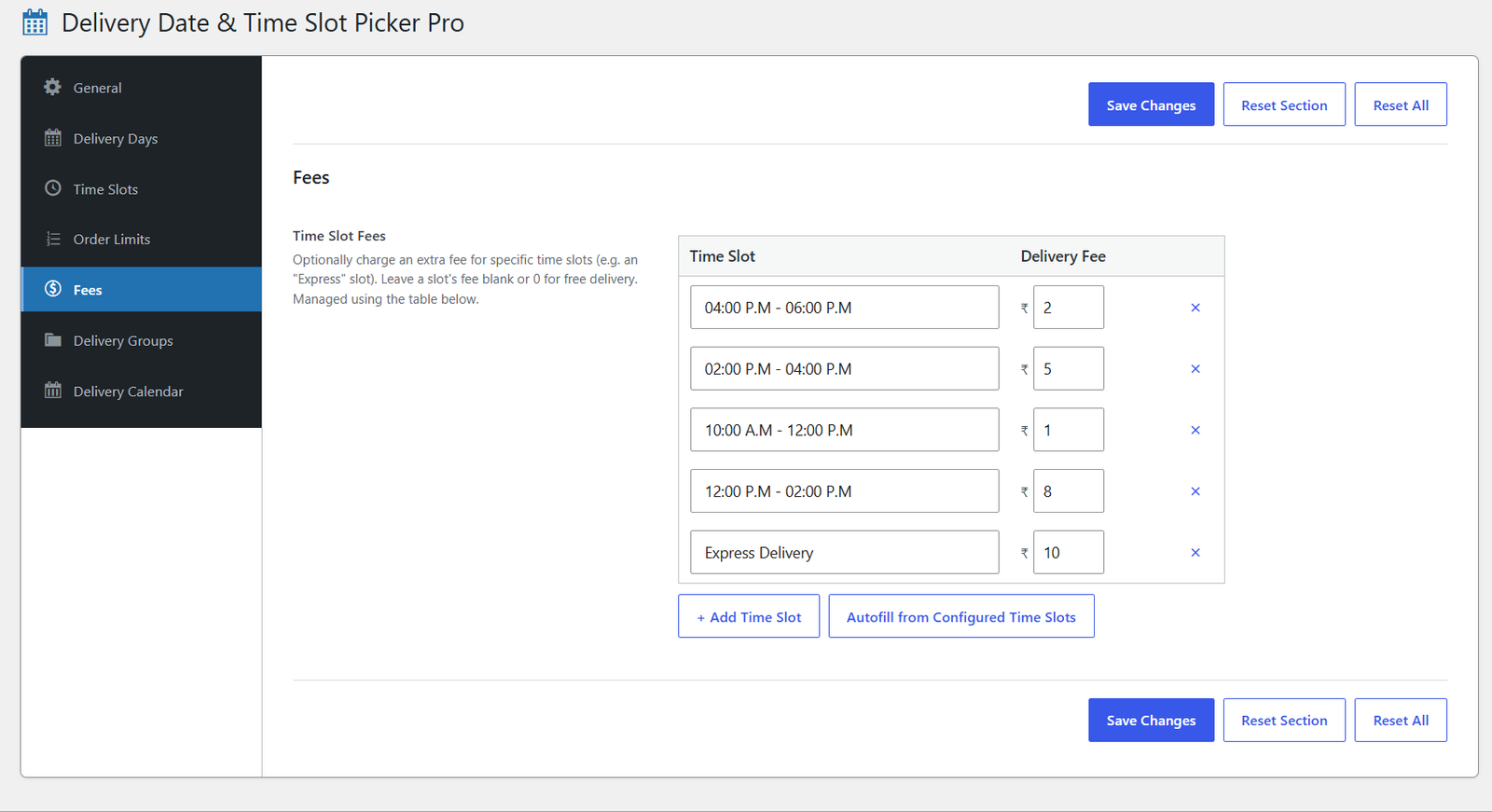
  • Charge extra for specific slots, such as an Express slot
  • Added as a real order fee on Classic and Blocks checkout
  • Simple add and remove table editor
Pro

Products and Categories

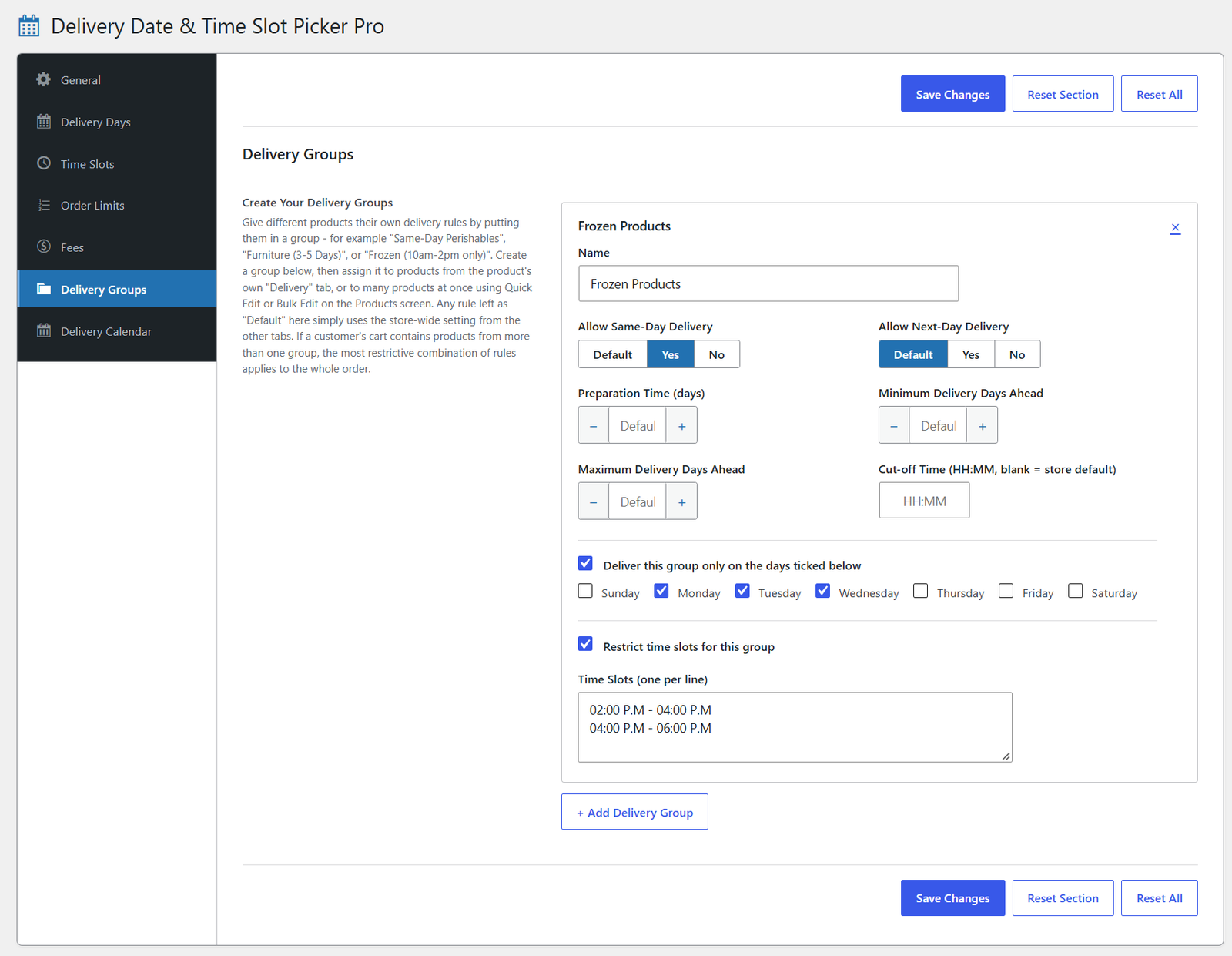
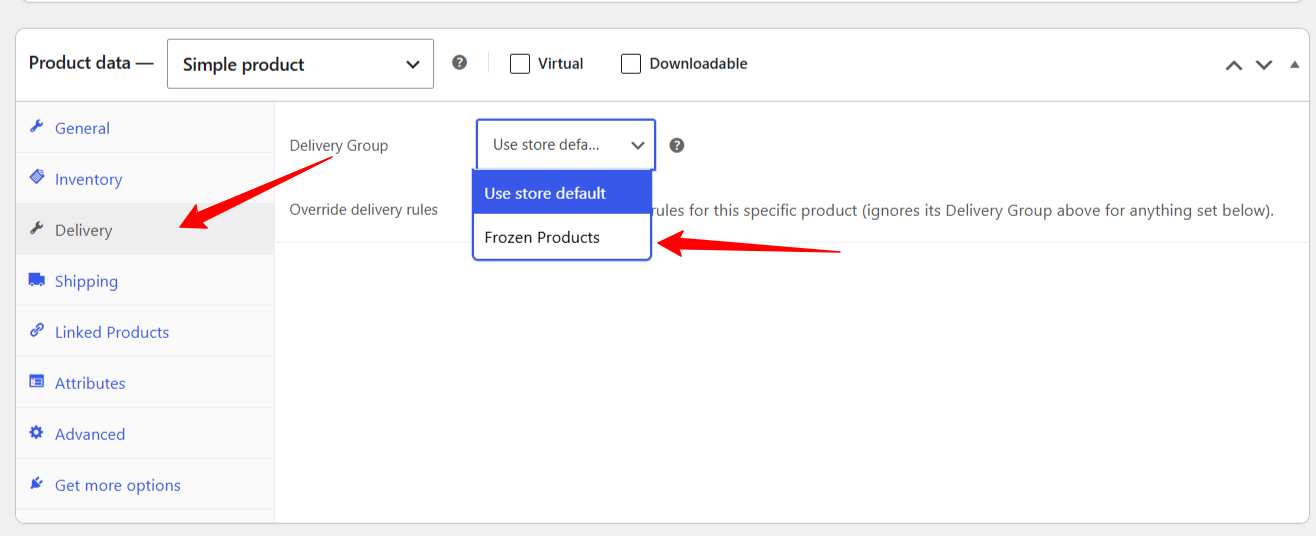
  • Delivery Groups with their own rules and slots
  • Assign to products one by one or in bulk
  • Override a single product's rules entirely
  • Mixed carts use the most restrictive rule, with a note to the customer
Pro

Delivery Calendar and Orders

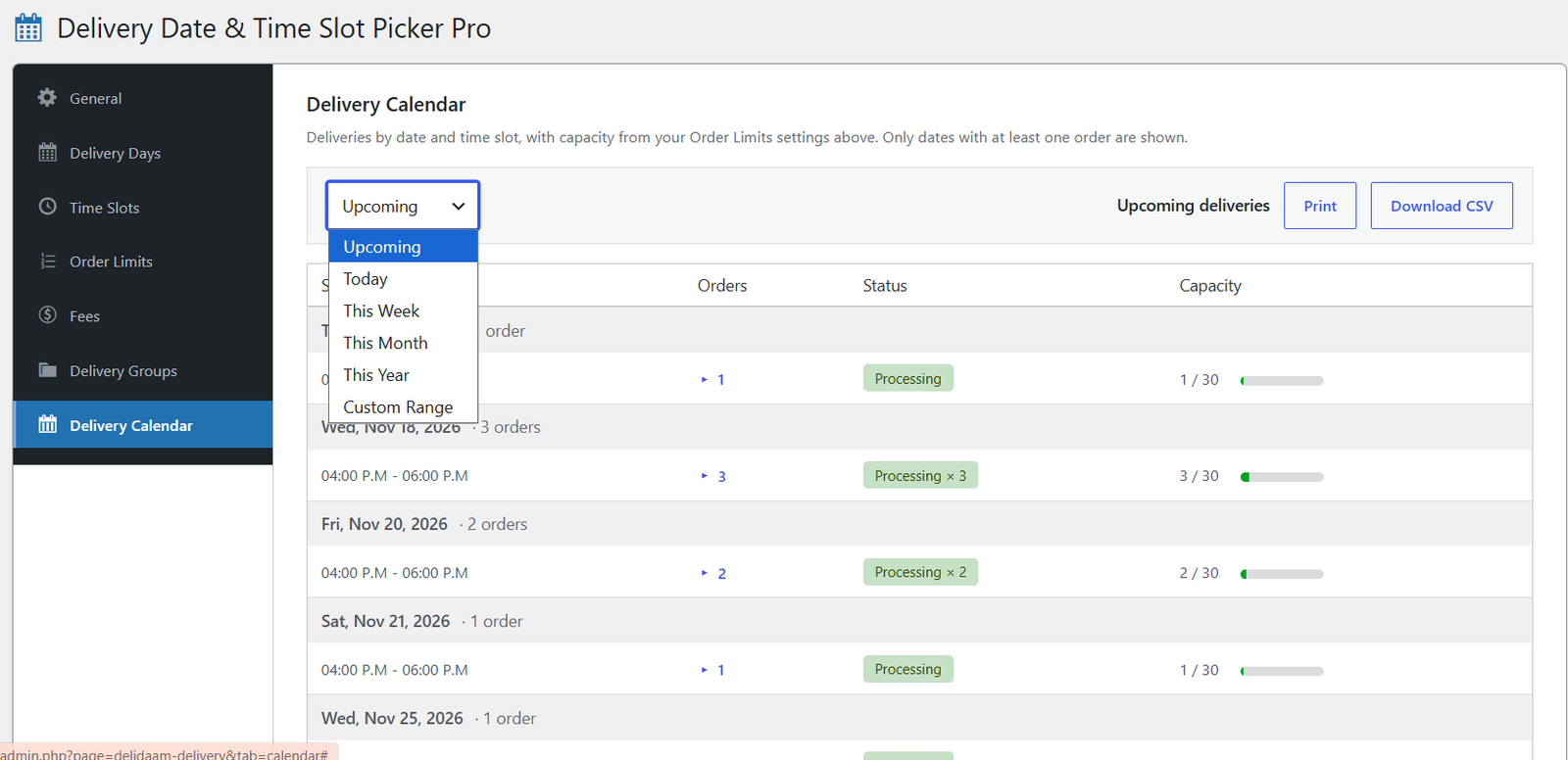
  • Delivery Calendar with status badges and a capacity meter
  • Upcoming deliveries grouped by day, with per-slot order lists
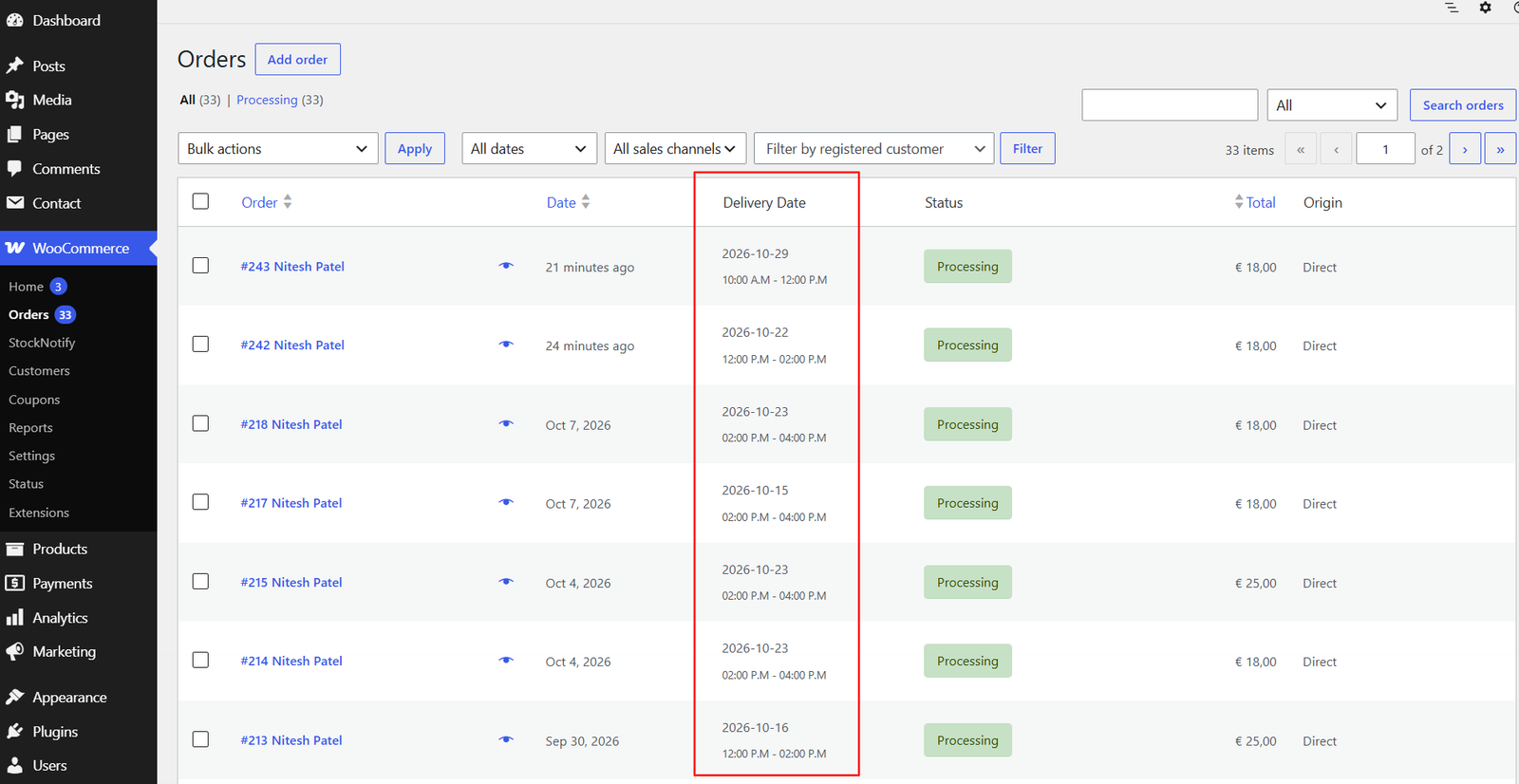
  • Sortable Delivery Date column on the Orders list
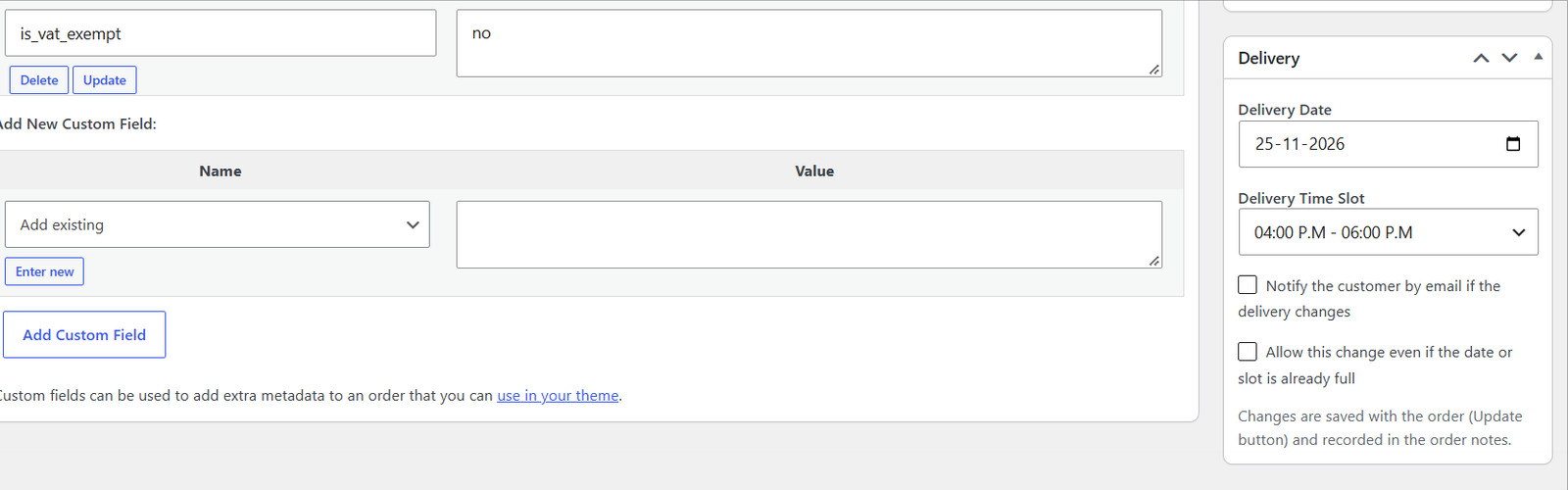
  • Reschedule a delivery from the order screen

Emails and Order Details

  • Delivery details in customer and admin order emails
  • HTML and plain text emails
  • Shown on the thank-you page and My Account order page

Compatibility

  • HPOS (High Performance Order Storage) compatible
  • Works with all WooCommerce shipping methods
  • Skips virtual and downloadable-only carts automatically
How it works

From checkout to delivery in six steps

  1. Install

    Activate the plugin and set your rules under WooCommerce > Delivery.

  2. Customer picks

    At checkout the customer chooses an available delivery date and time slot.

  3. Rules applied

    Blackout dates, cut-off, limits and product groups are enforced on the server.

  4. Order saved

    The date, slot and any slot fee are saved with the order.

  5. Everyone informed

    Delivery details appear in order emails and on the account page.

  6. Plan deliveries

    Use the Delivery Calendar, or reschedule right from the order screen.

Screenshots

See it in action

Delivery date and time slot fields on Classic and Blocks checkout
General settings: same-day and next-day delivery, preparation time, delivery window and cut-off time
Delivery Days: choose the weekdays you deliver on and add blackout dates
Time Slots: a default list plus different slots for each day of the week
Order Limits: maximum orders per time slot and per day, with weekday overrides
Fees: charge an extra fee for specific time slots
Delivery Groups: give a set of products its own days, slots and rules
Delivery Calendar: upcoming deliveries by day and slot, with status badges and a capacity meter
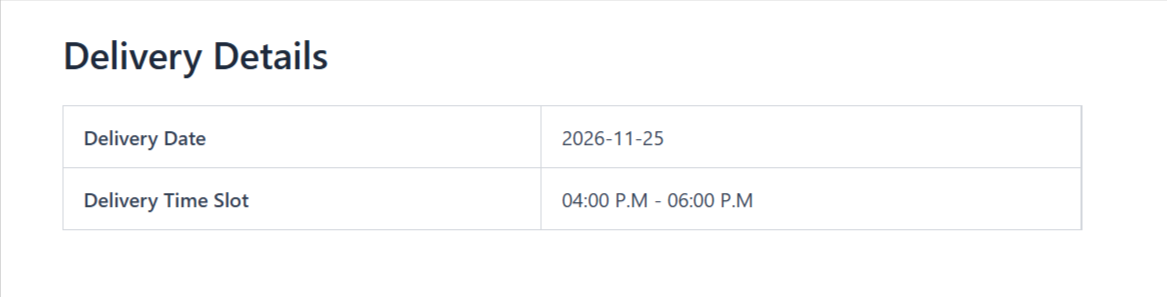
Delivery Details shown to the customer on their order page
Delivery box on the order screen to reschedule the date and time slot
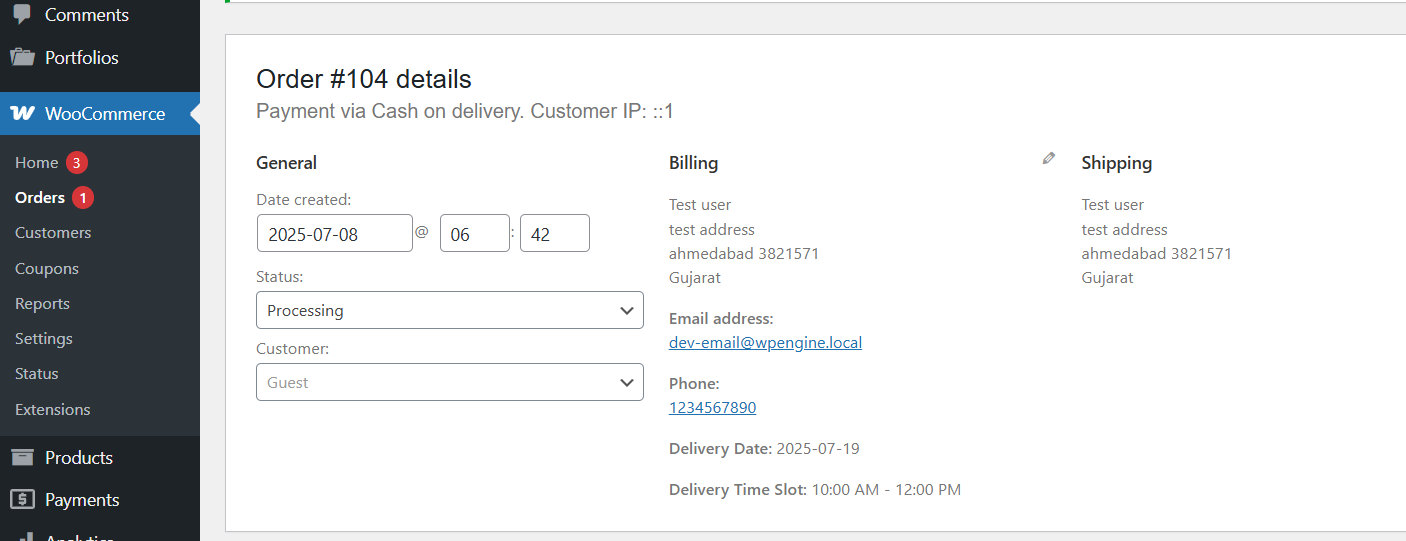
Delivery date and time slot on the WooCommerce admin order screen
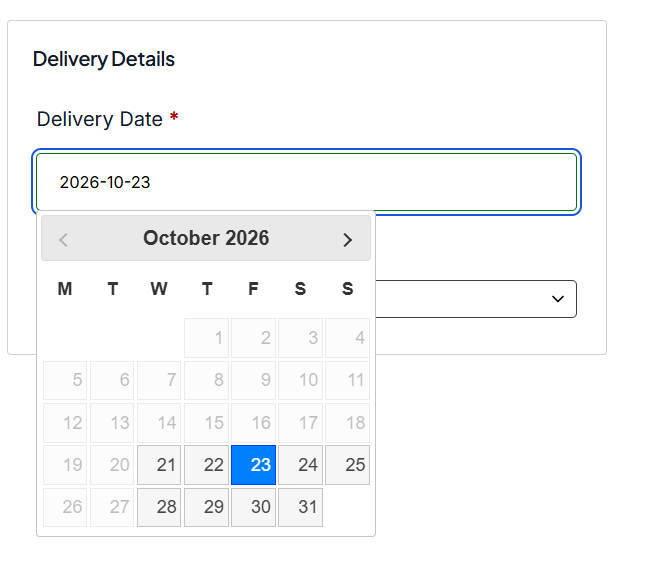
Checkout calendar with disabled weekdays, blackout dates and lead time applied
Delivery Date column on the WooCommerce Orders list
Assign a Delivery Group to a product from its Delivery tab
Pricing

Start free, upgrade when you grow

30-day free trial, no payment required to start.

Free

$0

  • Delivery date picker and time slots
  • Classic and Blocks checkout
  • Blackout dates and disabled weekdays
  • Minimum lead time and booking window
  • Max orders per time slot
  • Delivery details in order emails
Download Free

Single Site

$19 / year

  • 1 Website
  • Everything in Free
  • Delivery rules, cut-off and prep time
  • Time slots per day of the week
  • Max orders per day
  • Delivery fee by time slot
  • Product and category delivery groups
  • Delivery Calendar and rescheduling
  • Fully booked and "N left" display
Buy Single Site

5 Sites

$79 / year

  • 5 Websites
  • Everything in Free
  • Delivery rules, cut-off and prep time
  • Time slots per day of the week
  • Max orders per day
  • Delivery fee by time slot
  • Product and category delivery groups
  • Delivery Calendar and rescheduling
  • Fully booked and "N left" display
Buy 5 Sites

Unlimited Sites

$129 / year

  • Unlimited Websites
  • Everything in Free
  • Delivery rules, cut-off and prep time
  • Time slots per day of the week
  • Max orders per day
  • Delivery fee by time slot
  • Product and category delivery groups
  • Delivery Calendar and rescheduling
  • Fully booked and "N left" display
Buy Unlimited Sites
Compare

Free vs Pro

Feature comparison of the Free and Pro plugins
FeatureFreePro
Classic and Blocks checkout Included Included
Delivery date picker Included Included
Custom time slots Included Included
Blackout dates Included Included
Max orders per time slot Included Included
Disable weekdays Included Included
Minimum lead time and booking window Included Included
Delivery details in order emails Included Included
HPOS compatible Included Included
Delivery Date column on Orders list Included Sortable
Same-day / next-day, prep time, cut-off Not included Included
Time slots per day of the week Not included Included
Max orders per day Not included Included
Fully booked and "N left" display Not included Included
Delivery fee by time slot Not included Included
Product and category delivery groups Not included Included
Delivery Calendar Not included Included
Reschedule from the order screen Not included Included
Dedicated tabbed Delivery admin page Not included Included
Demo and support

Watch it, try it, ask us

FAQ

Frequently Asked Questions

Yes. Both Classic and Blocks checkout are supported, with the same field design on each.

Free covers the date picker, time slots, blackout dates, slot limits, disabled weekdays and lead time. Pro adds delivery rules (same-day, cut-off, prep time), time slots per weekday, daily order limits, slot fees, product and category delivery groups, a Delivery Calendar and rescheduling from the order screen.

Yes. Create Delivery Groups under WooCommerce > Delivery > Delivery Groups, then assign a group to a product, or to many products with Quick Edit or Bulk Edit. If a cart mixes groups, the most restrictive rules apply to the whole order.

Yes. Set a fee for any slot, such as an Express slot. It is added as a real order fee on both Classic and Blocks checkout.

The delivery fields are skipped, and not required, for any order that does not need shipping.

Yes. It is fully compatible with WooCommerce High Performance Order Storage.

Yes. Install and activate Pro. It pauses and deactivates the free plugin for you, so the two never run together. Settings the two share, such as time slots and blackout dates, are kept.

WordPress 6.5 or newer (tested up to 7.1), WooCommerce 8.9 or newer (tested up to 11.2) and PHP 7.4 or newer.

Make delivery scheduling easy

Let customers pick the date and time that suits them, and keep every delivery under control.